Free SEO check · no sign-up
Find what is holding your site back in search
Enter your address and get a health score for your homepage in a few seconds. Then check every page for free.
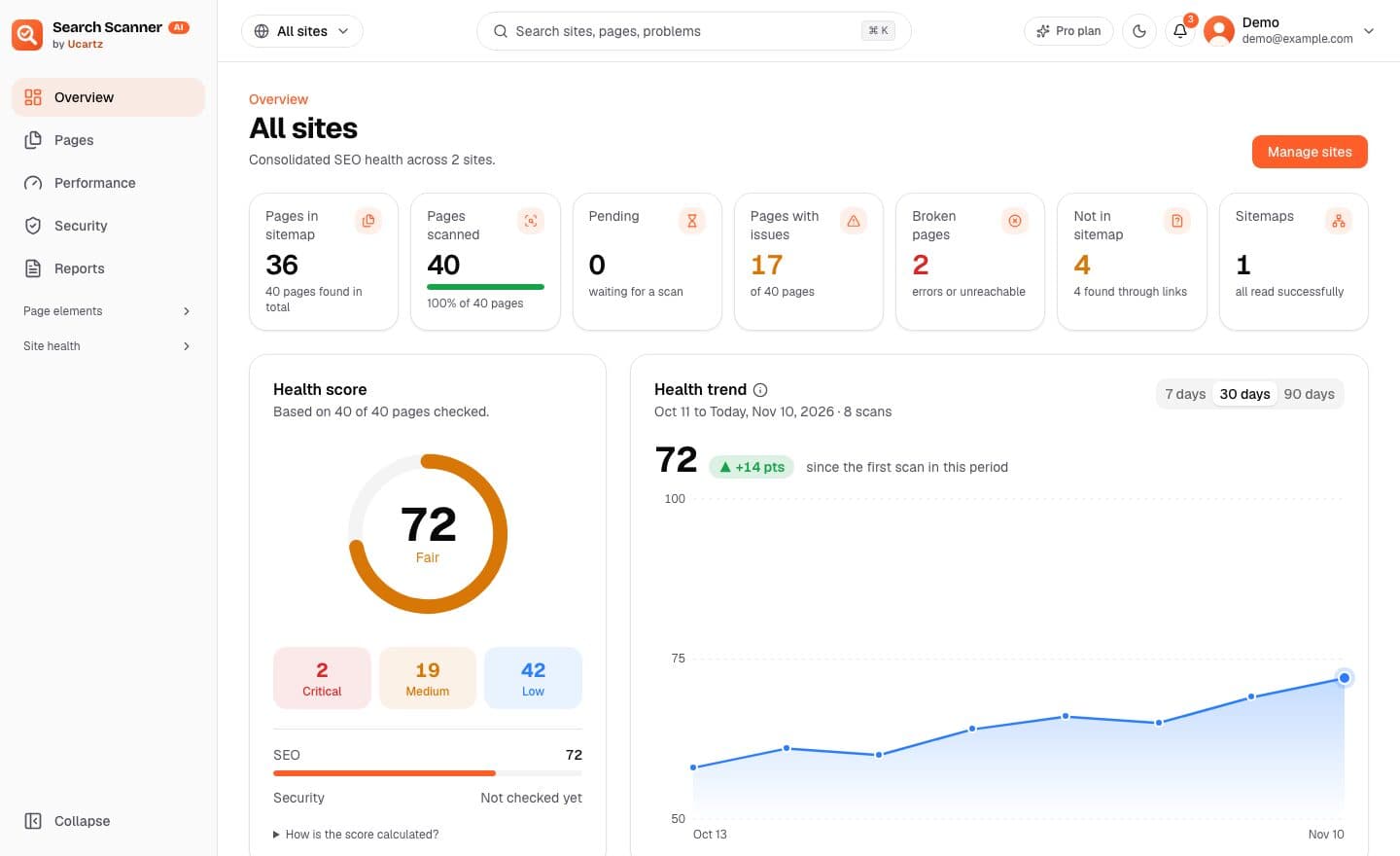
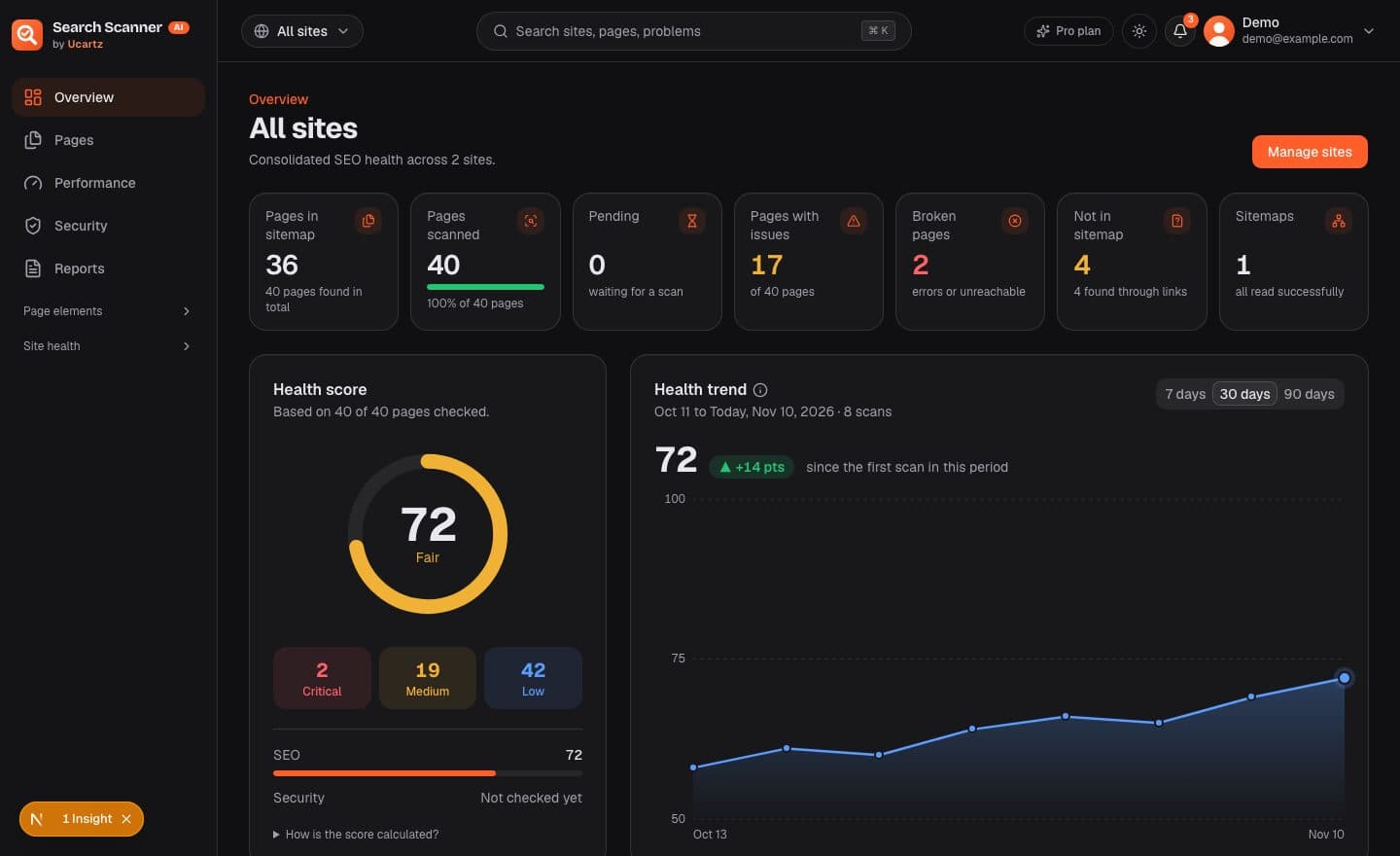
What a full check looks at
Every page of your site, not just the homepage. Each finding is rated critical, medium or low.
Titles
Missing, too short, too long, or shared with another page.
Descriptions
Meta descriptions that are missing, repeated or the wrong length.
Headings
A missing or repeated main heading, empty headings and skipped levels.
Canonical tags
Pages that point search engines to the wrong address, or to none.
Social tags
Share titles and images for Facebook and X, including whether the image loads.
Structured data
JSON-LD, Microdata and RDFa checked against schema.org and Google's rules.
Status and redirects
Broken pages, redirect chains and loops, and pages your robots.txt blocks.
Internal links
Links that lead to missing pages or through a redirect.
Images and files
Missing alt text, oversized images, uncompressed scripts and stylesheets.
Content length
Pages with very little text, and pages that repeat each other.
Sitemap
Pages that exist and are linked, but are missing from your sitemap.
PageSpeed results
Google's speed, accessibility and best-practice scores for your key pages.
See the problems, then fix them
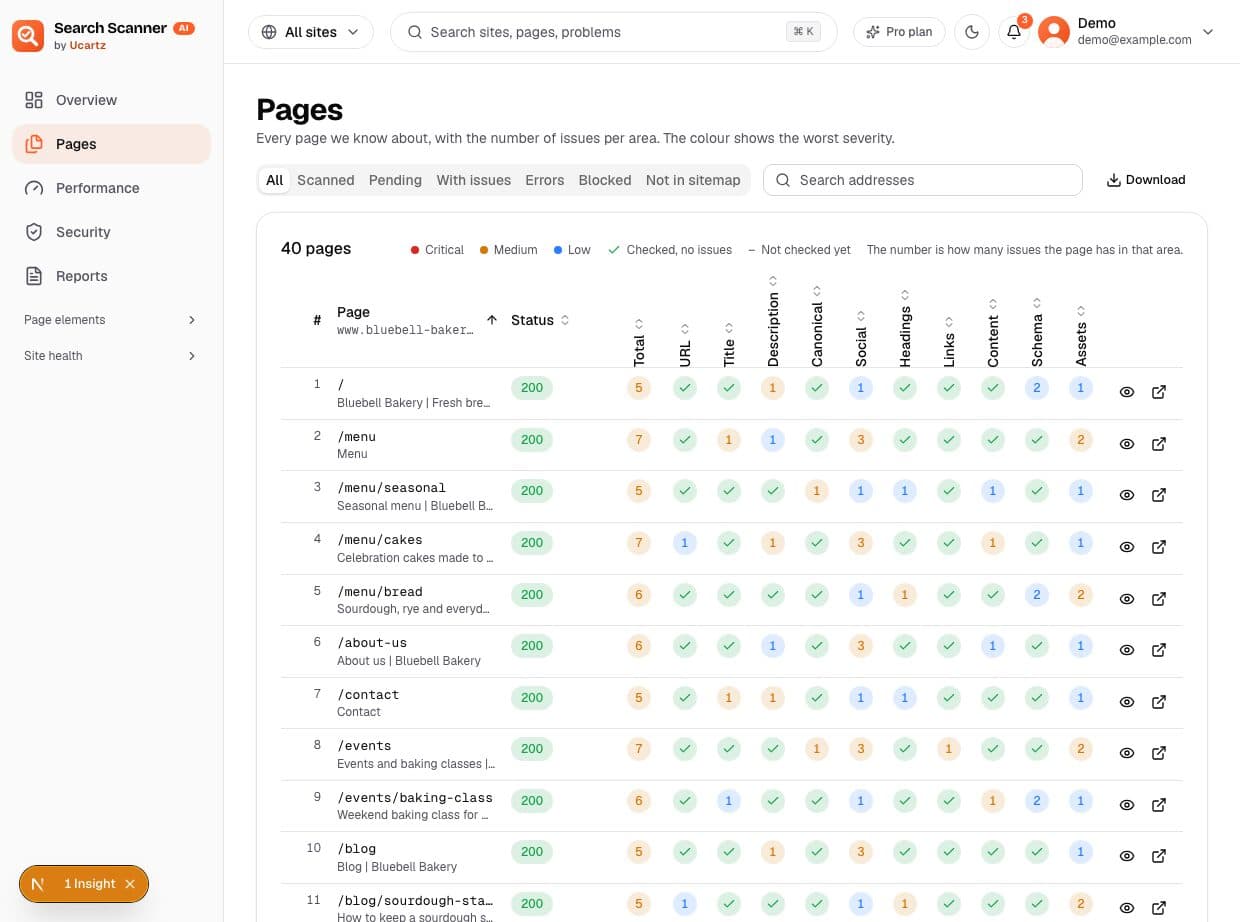
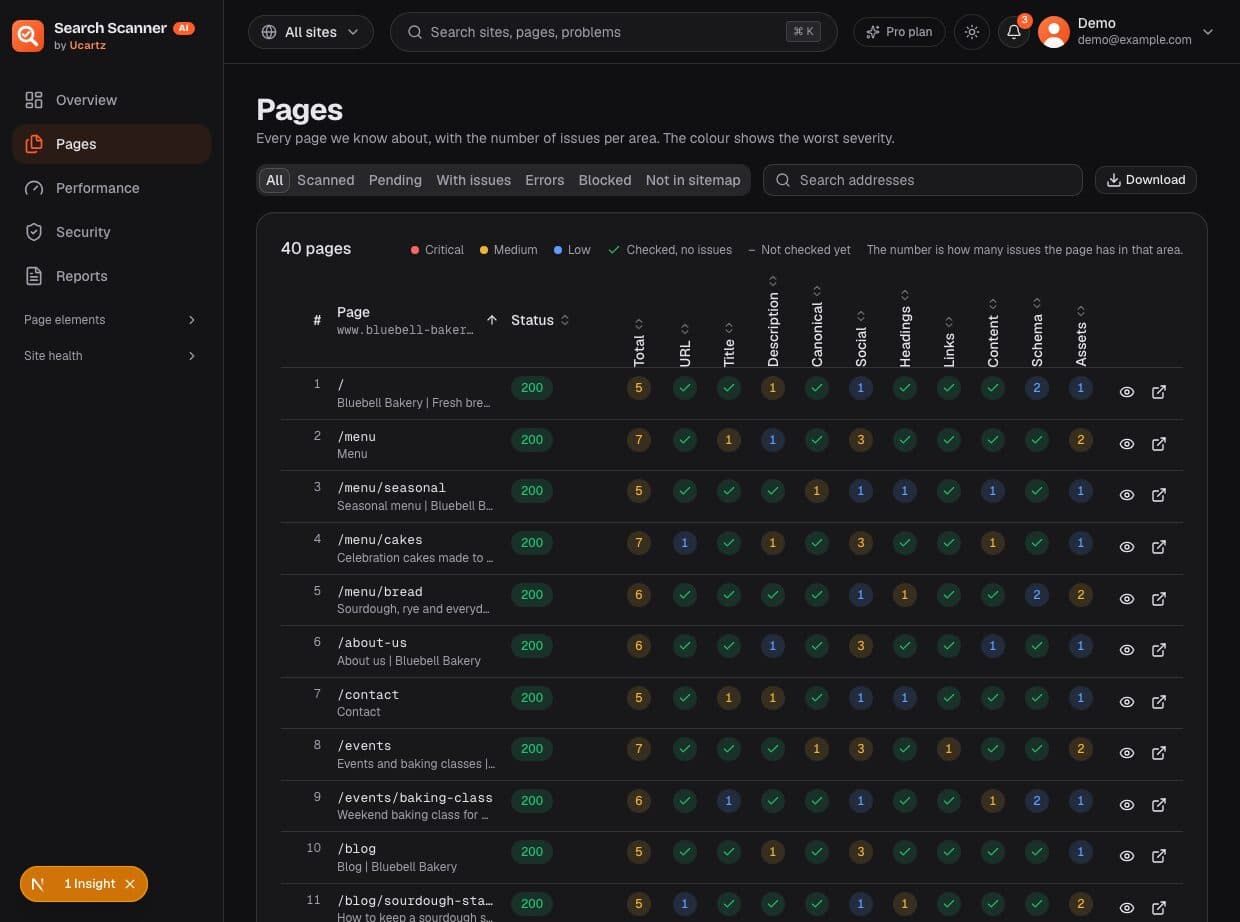
Every page, with its problems next to it
One row per page and one column per kind of check. The colour shows the worst problem on that page and the number shows how many there are. Open a page to see exactly what to change.
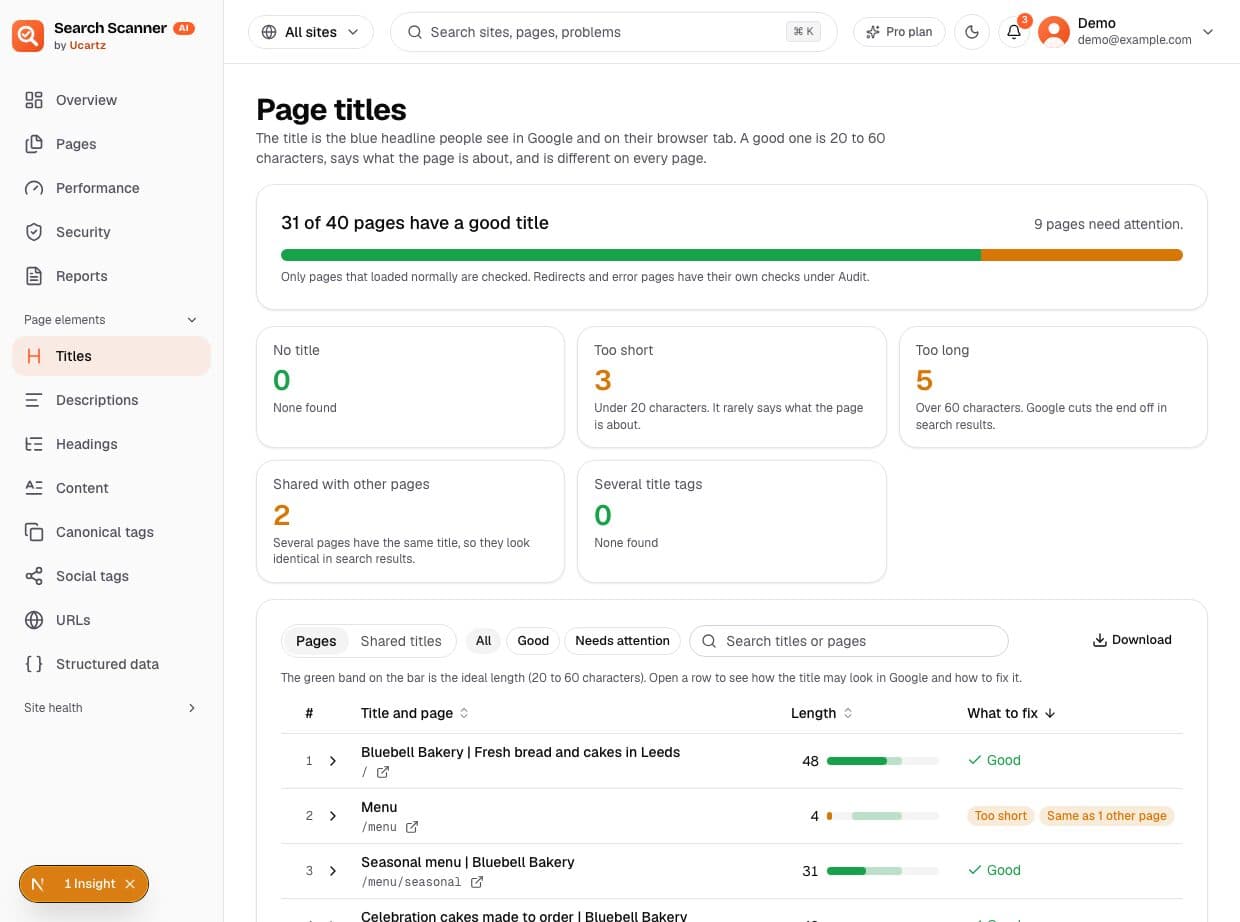
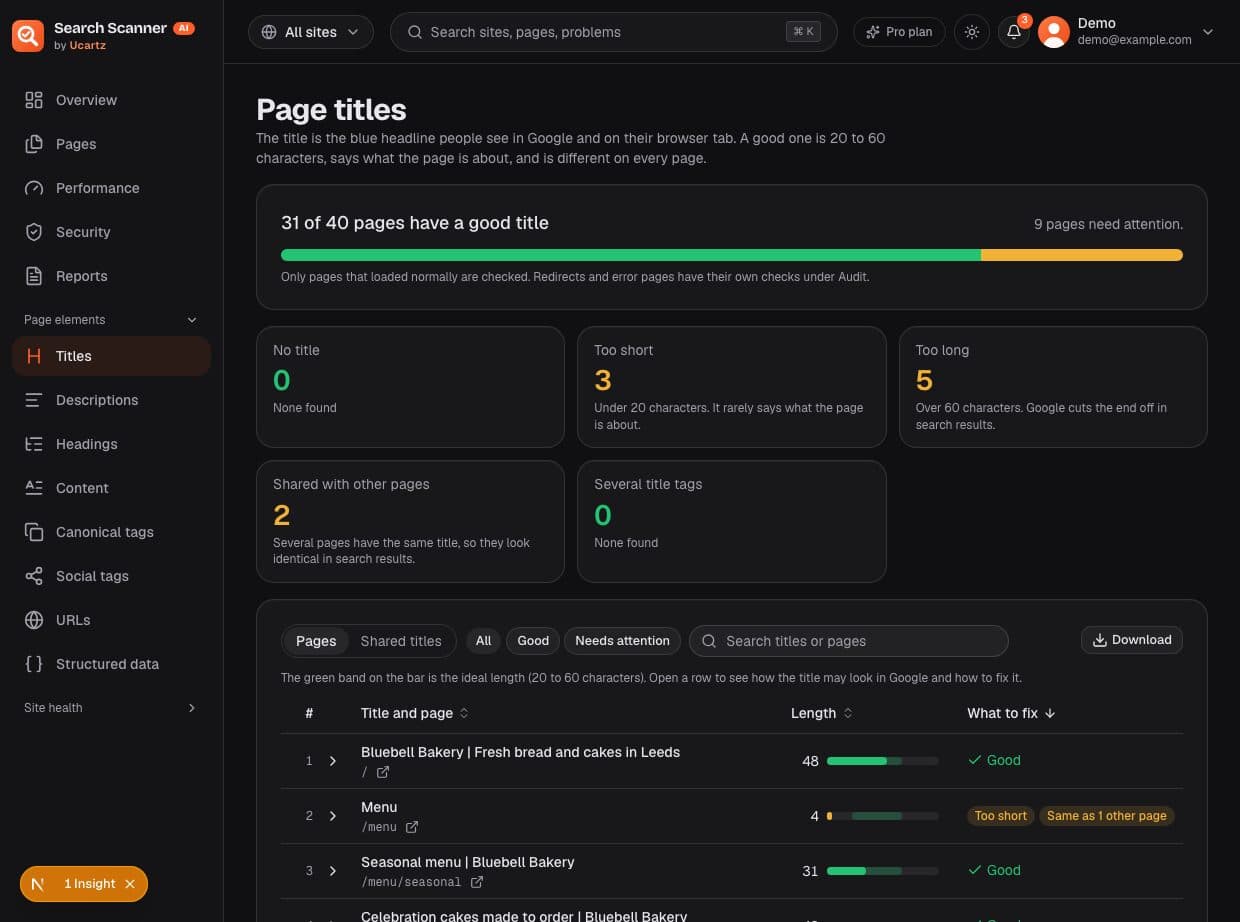
A page for each kind of check, in plain words
Titles, descriptions, headings, canonical tags and more each get their own page. You see how many pages are fine, what is wrong with the rest, and a length gauge that shows how far off each one is.
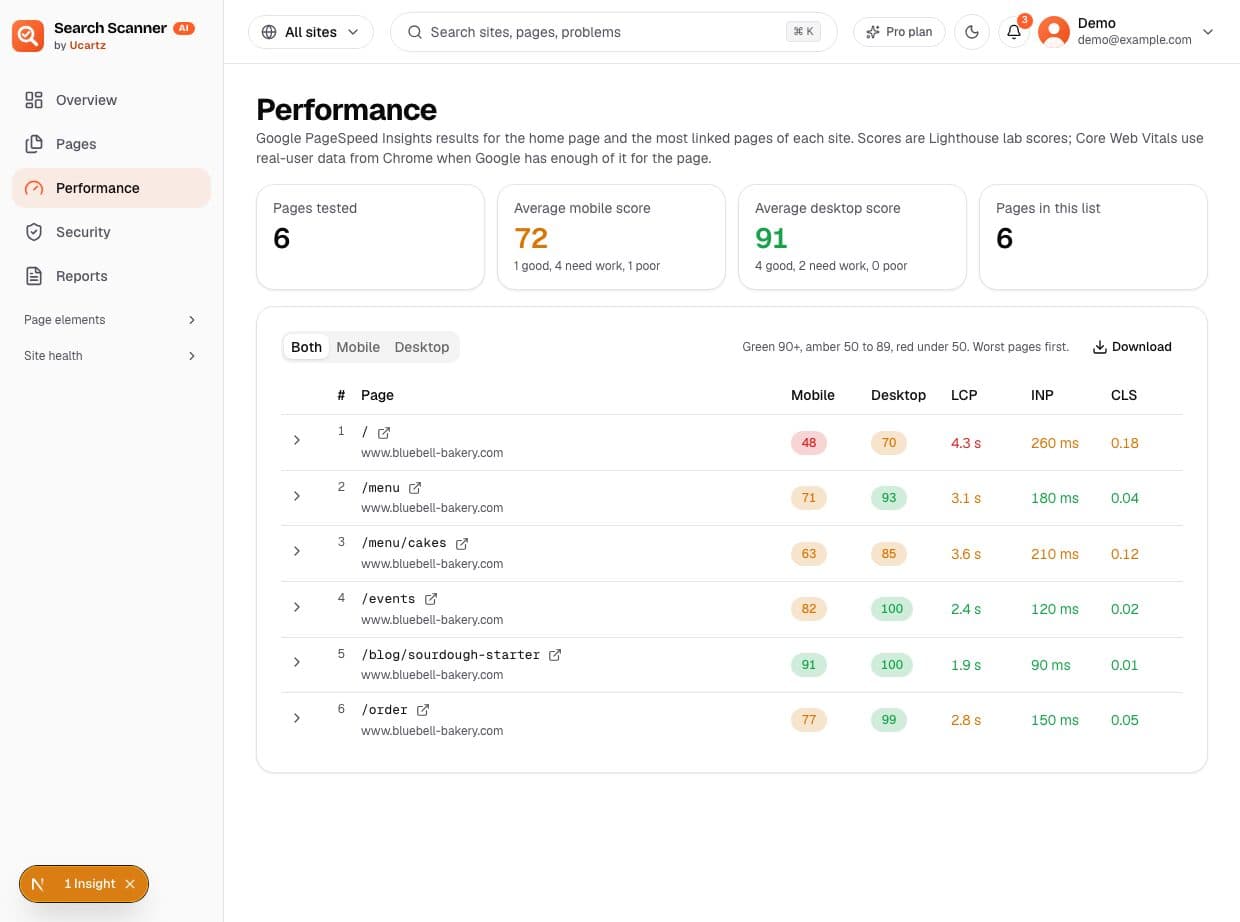
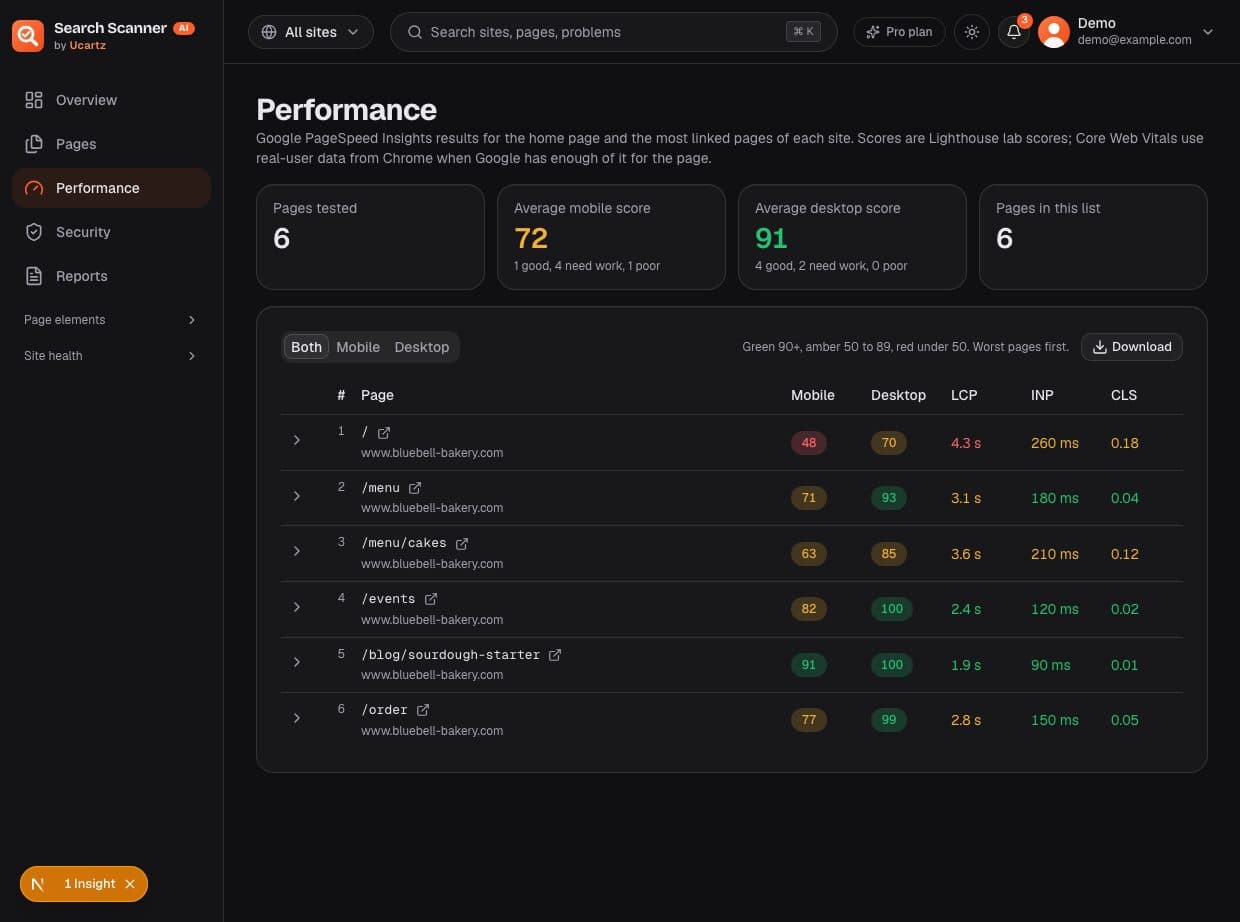
Google's speed scores for your key pages
Your homepage and your most linked pages are tested with Google PageSpeed Insights, on mobile and desktop. Core Web Vitals from real Chrome users are shown when Google has data for the page.
Works with your AI assistant
Ask your audit questions in plain language
Connect Claude, ChatGPT, Gemini, Cursor or VS Code to your results through MCP, the open standard for AI tools. Your assistant reads your own scan data, explains it, drafts fixes, and can start a scan when you ask.
Connect in four steps
1.Open your assistant's connector settings
In Claude: Customize, Connectors, Add custom connector. ChatGPT, Gemini CLI, Cursor and VS Code have the same idea.
2.Paste our server address
Copy the address below and name the connector Search Scanner AI. Nothing else to configure: the assistant registers itself.
3.Approve on the Ucartz page
Sign in with Google if needed, check the app name, choose read only or read and scan control, then Allow.
4.Ask in plain language
Switch the connector on in a chat and ask about your sites. Answers come from your own scan results.
https://search-scanner.ucartz.com/mcpStep by step guides: Connect with MCP. You need a free account first.
11 pages have no meta description.
They include /menu/seasonal, /events and /about. Want me to draft one for each, 70 to 160 characters?
Sites, scans, pages, problems, links, files, content, PageSpeed and structured data.
Start, stop and resume scans on your own sites, with the same limits as the app.
Delete or clear sites, add sites, change settings, set problems aside or read the system log.
Pick your assistant
- Claude claude.ai, Desktop and Claude Code
- ChatGPT Custom MCP connector
- Gemini Gemini CLI
- Cursor and VS Code Editor MCP settings
OAuth sign-in with tokens bound to your account. See or disconnect every app under Settings, Connect AI.
Things to ask
- “Which pages on my site have no meta description?”
- “Summarise the worst problems on my homepage and how to fix them.”
- “List broken internal links and the pages that link to them.”
- “Which images are larger than 500 KB?”
- “Start a new scan of my site and show its progress.”
- “Write better titles for pages whose title is too short.”
Integrations
Connected to the Google APIs and open standards that SEO depends on, and to the AI assistants your team already uses.
- Google API
Google PageSpeed Insights
Mobile and desktop performance, accessibility, best-practice and SEO scores, lab metrics and real-user Core Web Vitals for your key pages.
Pro and Business
- MCP server
Claude, ChatGPT, Gemini, Cursor, VS Code
16 tools over the Model Context Protocol with OAuth 2.1: ask about your results and run scans from your AI assistant.
Pro and Business
- Google API
Google Search Console
Clicks, impressions, click-through rate and average position for every page, next to its problems. Read-only, synced daily.
- Search engines
IndexNow
After each scan, new and changed pages are sent to Bing, Yandex, Seznam, Naver and the other IndexNow engines so they are crawled sooner.
Verified sites
- Tag detection
Google tag check
Finds Google Tag Manager, GA4, Google Ads and old Universal Analytics tags on every page, and flags pages that miss the site's tag.
- OAuth
Google sign-in
One-click sign-in with your Google account. We read only your name, email and picture.
- Exports
Excel, PDF and CSV
Branded Excel and PDF reports and CSV for every list, ready for clients, spreadsheets and BI tools.
- Standards
XML sitemaps and robots.txt
Reads sitemap indexes and gzip sitemaps, and follows robots.txt (RFC 9309), meta robots and X-Robots-Tag.
- Standards
schema.org and Google rich results
JSON-LD, Microdata and RDFa checked against the schema.org vocabulary and Google's required and recommended properties.
Coming soon
- Coming soon
Google Analytics 4
Traffic and engagement next to each page's problems, so you fix the pages that matter most first.
- Coming soon
Google Tag Manager API
Read the tags inside your container, so tags that Tag Manager adds are checked too.
- Coming soon
Bing Webmaster Tools
Bing search performance, crawl errors and sitemap status beside your audit, for Bing, Yahoo and DuckDuckGo traffic.
- Coming soon
Yandex Webmaster
Indexing, search queries and site problems reported by Yandex, the leading search engine in Russia and nearby markets.
How it works
From sign-in to a fix list in minutes. Large sites keep scanning in the background and you can watch the progress.
- 1
Add your site
Sign in with Google and enter your domain. Add your sitemaps if you like; we find them on our own otherwise.
- 2
We check every page
We find pages from your sitemaps and links and fetch them politely, obeying robots.txt and waiting between requests.
- 3
You get a fix list
Each problem is rated critical, medium or low, with the pages it affects and what to change. Export any list as CSV.
A crawler that behaves
UcartzSEOBot reads your site the way a well-mannered search engine does, so a scan never gets in the way of your visitors.
- Obeys robots.txt, its crawl delay, and noindex and nofollow tags
- About two requests per second per site, never more
- Only your own site: links to other sites are listed, never visited
- Names itself in every request, so you can see it in your logs
Your data stays yours
Run by Ucartz on Ucartz-operated servers, with the same GDPR and DPDP commitments as every Ucartz service.
- Results are private to your account
- No analytics, advertising or tracking cookies
- Google sign-in only reads your name, email and picture
- Remove a site and its data at any time
Pricing
Start free and see real results for your site. Upgrade when you want every page and every finding.
Free
See how your site is doing.
$0 forever
- 1 website
- Up to 50 pages scanned
- 2 scans a day, 7 a week
- Every check and the health score
- First 50 results in each list and download
- AI assistant connection (MCP)
- Google PageSpeed results
Pro
Most popularFor a growing site, or a few of them.
$9 / month
- 3 websites
- Up to 1,500 pages per site
- 4 scans a day, 20 a week
- Full results in every list
- Excel, PDF and CSV downloads in full
- AI assistant connection (MCP)
- Google PageSpeed results
Business
For agencies and larger sites.
$29 / month
- 10 websites
- Up to 10,000 pages per site
- 8 scans a day, 40 a week
- Everything in Pro
Prices in US dollars, billed monthly through your Ucartz client area. Every plan includes all checks and the health score.
Questions
The short answers are here. For anything else, Ucartz support and the compliance team are a message away.
What does the checker do on my site?
It reads your pages like a search engine would, with a User-Agent that names us. It follows robots.txt and its crawl delay. To block it, disallow it in robots.txt. How to block it.
Do you check the sites I link to?
No. We only look at pages on your own site. Links to other sites are listed but never visited.
Is my data shared?
Results are private to your account. The free homepage check stores only the domain and the totals shown above. See the privacy policy and the terms.
Why does the free check only look at the homepage?
It gives you a quick reading without an account. The full check fetches every page politely, which takes longer, so it needs your sign-in.
How does the AI assistant connection work?
Available on Pro and Business. Your assistant connects to our MCP server and you approve it on a Ucartz page. It reads your own results and can start scans if you allow it; it can never delete anything. How to connect.
Which AI assistants are supported?
Claude (web, Desktop and Claude Code), ChatGPT, the Gemini CLI, Cursor and VS Code. Any assistant that supports remote MCP servers with OAuth should work.
How long does a full check take?
The homepage check takes seconds. A full scan goes at about one to two pages per second to stay polite, so 1,000 pages take roughly 10 to 20 minutes. You can leave the page; it keeps running.
How do I upgrade, and can I cancel?
Choose Pro or Business and pay in your Ucartz client area. Your new limits apply as soon as the order is confirmed. Cancel or change plans from the client area at any time; the Free plan stays free.
See every page that needs a fix
Free for 1 site and 50 pages. No card, no trial clock. Sign in with Google and your first scan starts in a minute.